
IC Markets’s withdrawal process
IC Market offers the following withdrawal methods.
Withdrawal requests submitted after 12:00 AEST will be processed on the next business day.
In addition, in order to minimize the risk of margin call notices, no withdrawal can be made if there is not at least 100% of available margin in the trading account.
The various withdrawal procedures are described below
※Withdrawal of funds through additional channels is subject to additional handling charges
Domestic Bank Transfer Procedures
Login to the Secure Client Area, open “Withdrawal” in the menu on the right side of the screen, and select “Dolphin P2P your country” in the Withdrawal Method section.
Select the withdrawal account, enter the withdrawal amount and click “Submit”.
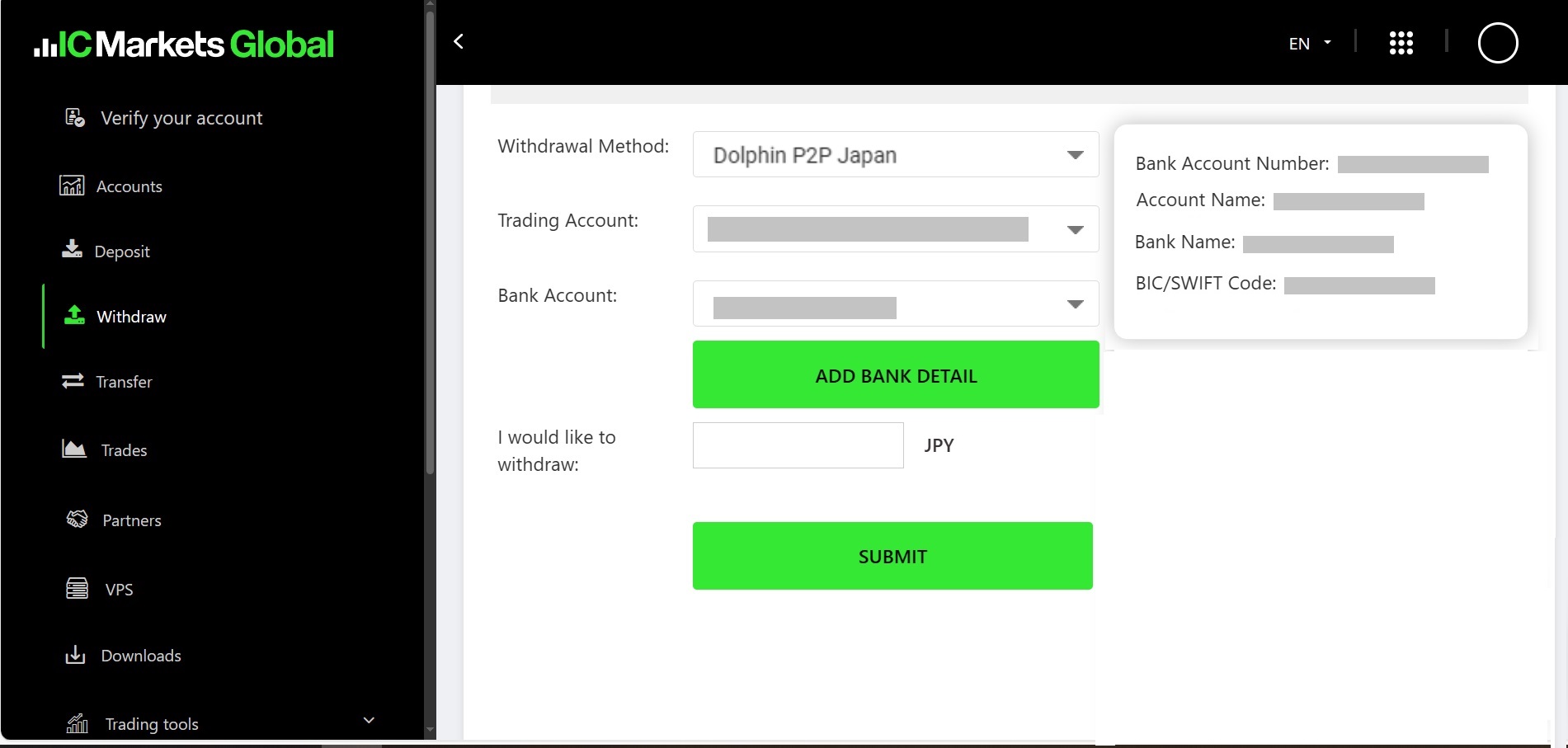
To use a new withdrawal account, click “Add Bank Account Details” and enter your bank information.
Choose “Your Local Bank Transfer” as the withdrawal method.
By default, “Your Local Bank Transfer” is selected on this page. The account number will be shown only after it has been approved by the Gateway.
You may enter the account name in your local language.
After adding the withdrawal account information, the confirmation screen will appear.
Carefully review the withdrawal details, and if everything is correct, click “OK” to complete the application.
A pop-up message will appear that reads “Confirmation Email Sent”.
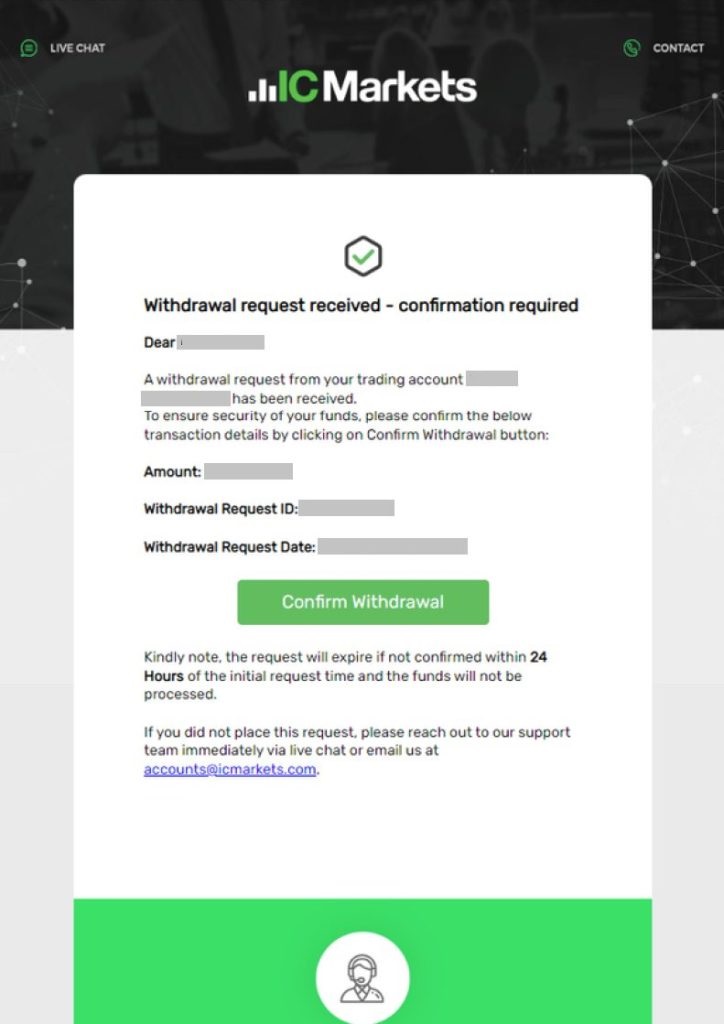
After opening the email and confirming the content of the application, click “Confirm Withdrawal” to complete the withdrawal request.
Withdrawal Procedures for Overseas Bank Transfer
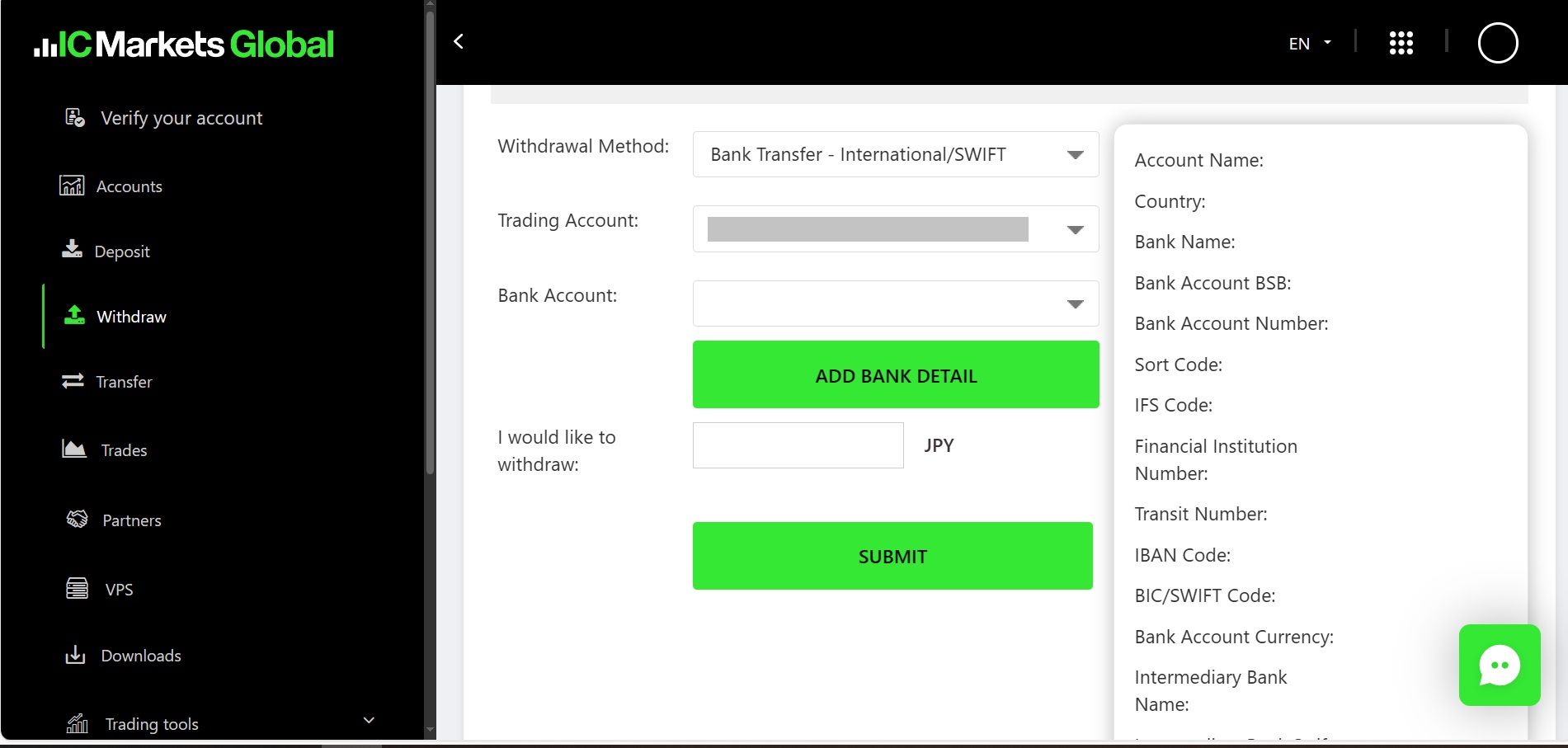
Log in to the Secure Client Area, open the “Withdrawal” menu on the right side and click on “Bank Transfer, International Wire Transfer (No Handling Fee)”.
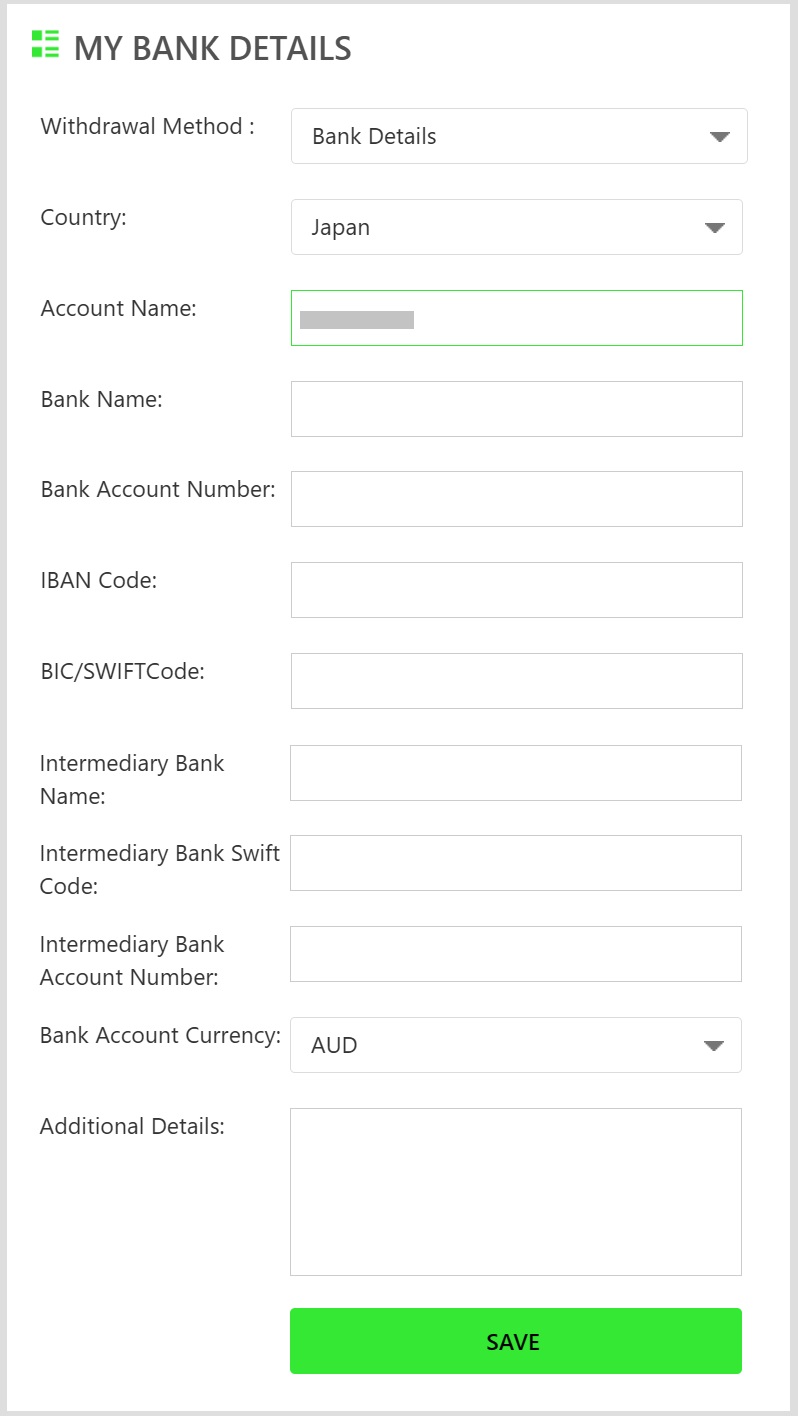
If you are using a new withdrawal account, click “Add Bank Details” to register your bank information.
Choose “Bank Details” as the withdrawal method, enter the required information, and then click “Save” to proceed.
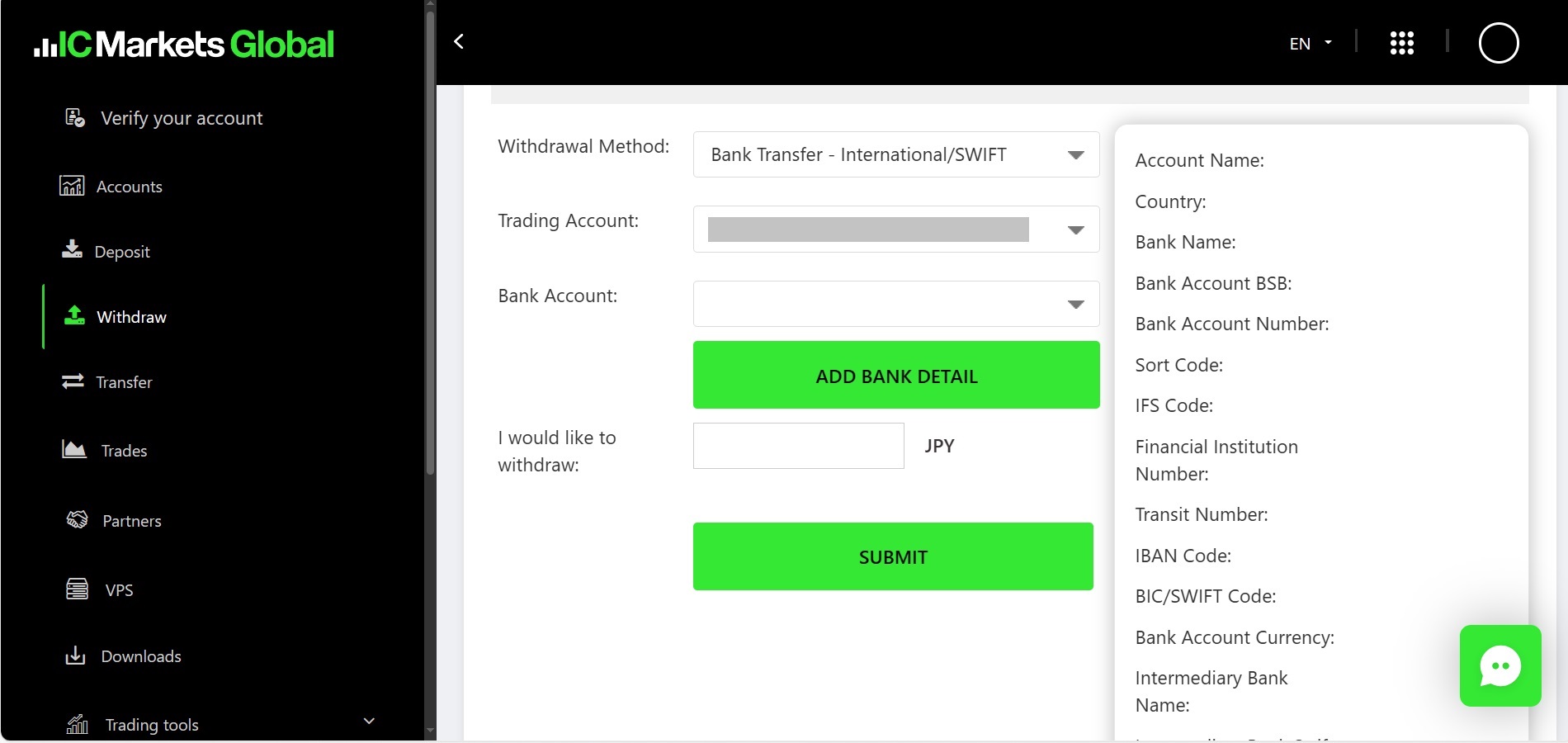
After completing the bank information registration, return to the previous screen.
Select the trading account from which you wish to withdraw funds, enter the withdrawal amount, and click “Send” to proceed.
Confirm the content of the withdrawal request and click “OK” if there is no problem.
A pop-up message “Confirm Email Sent” will appear.
Open the confirmation email, review the application details, and click “Confirm Withdrawal” to complete the process.
This concludes the explanation of IC Markets’ withdrawal method.