
How to deposit via domestic bank transfer
Log in to the Client Portal and click on “Deposit” to open the following screen.
Select the account you want to deposit to and enter the amount.
If you have a deposit discount coupon, select it and click “Continue.”

If you are paying by bank transfer, select “Japanese Bank Transfer (Option 1)” and click “Continue.”

Verify the payment details and click “Pay Now”.

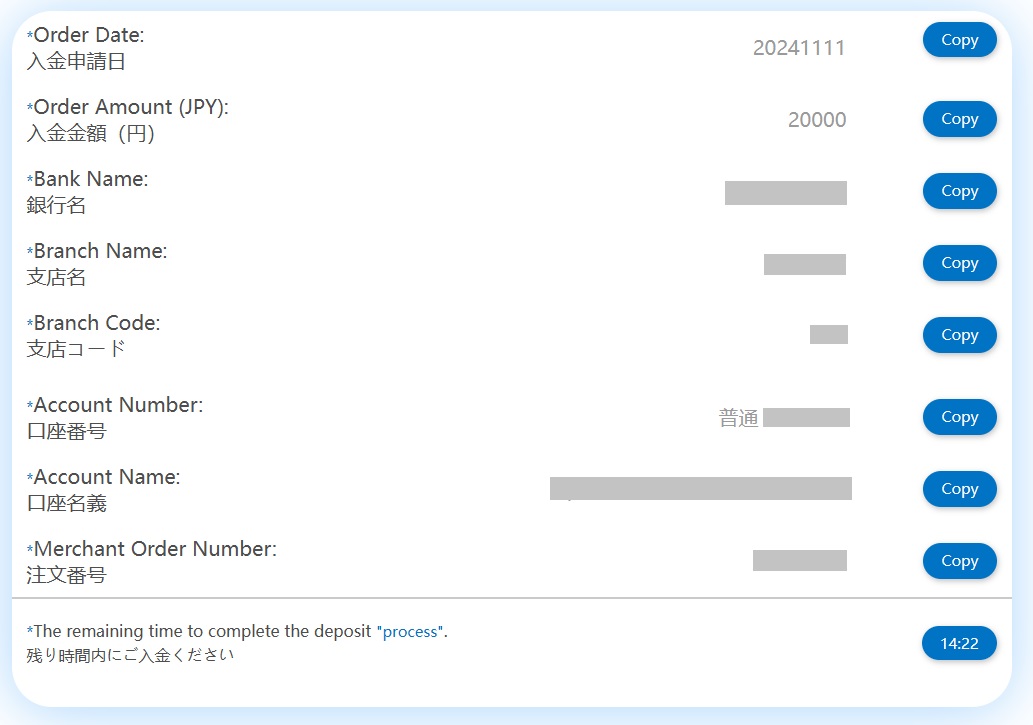
The bank details for the transfer will be displayed.
Make your deposit within the specified time.
Please note that you must also write the order number in the box where you write the name of the recipient.
It usually takes 1-2 business days for the funds to appear in your trading account.
How to deposit funds via online banking
Log in to the Client Portal and click on “Deposit” to open the following screen.
Select the account you want to deposit to and enter the amount.
If you have a deposit discount coupon, select it and click “Continue.”
If you are making a deposit via online banking, select “Japanese Bank Deposit (Option 2)” and click “Continue.”

Enter your email address, confirm the details of your payment, and then click “Pay Now.”

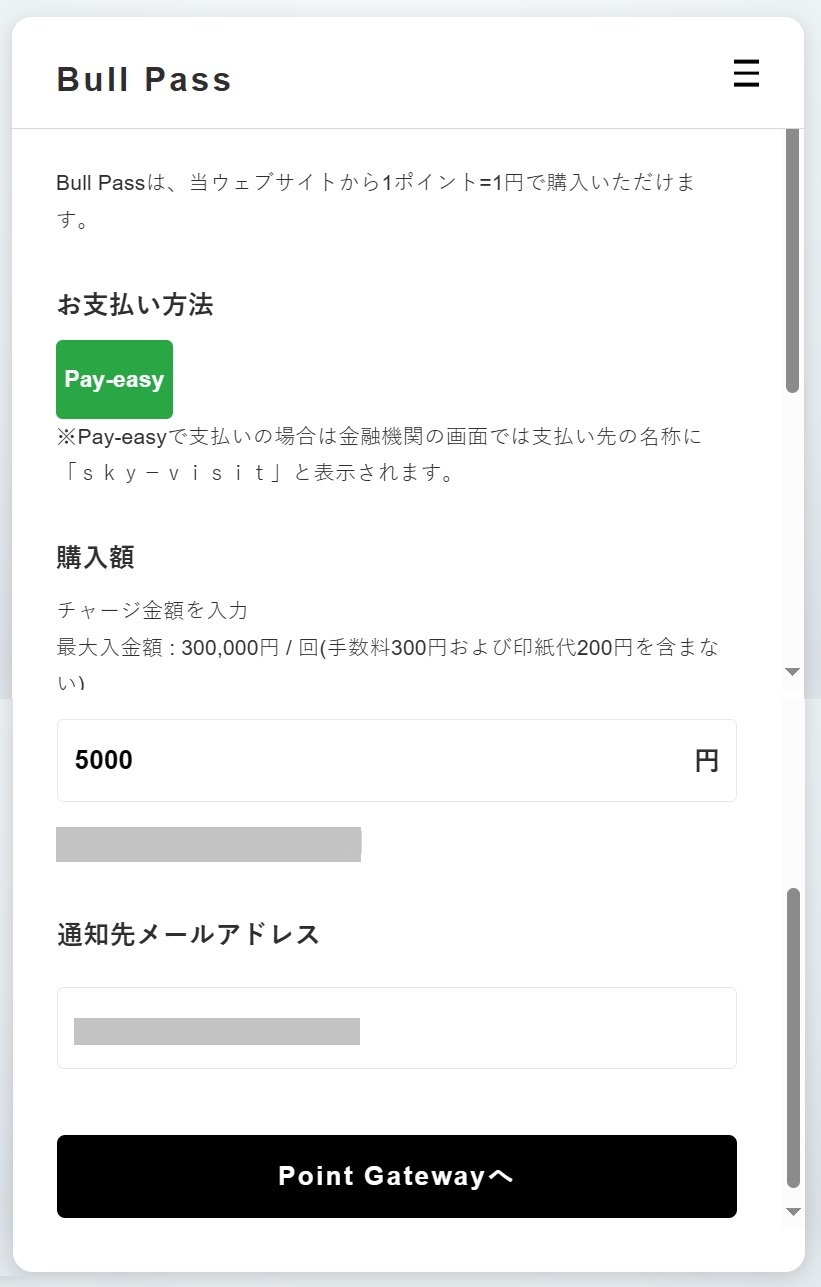
You will be redirected to a site called Bull Pass.
Enter the charge amount and enter the “Notification email address”.
Click on “Point Gateway” and follow the instructions on the screen to complete the deposit process.
How to deposit using credit/debit cards
Log in to the Client Portal and click on “Deposit” to open the following screen.
Select the account you want to deposit to and enter the amount.
If you have a deposit discount coupon, select it and click “Continue.”
If you would like to pay by credit or debit card, select “Credit Card” and click “Continue.”

Enter your email address, confirm the details of your payment, and then click “Pay Now.”

Enter the details of the credit or debit card you want to use.
Check the amount to be deposited, click “Pay”, and once authentication by the card company is complete, the deposit request is complete.

How to deposit via bitwallet
Log in to the Client Portal and click on “Deposit” to open the following screen.
Select the account you want to deposit to and enter the amount.
If you have a deposit discount coupon, select it and click “Continue.”
If you wish to deposit via bitwallet, select “Bitwallet Deposit” and click “Continue”.

Verify the payment details and click “Pay Now”.

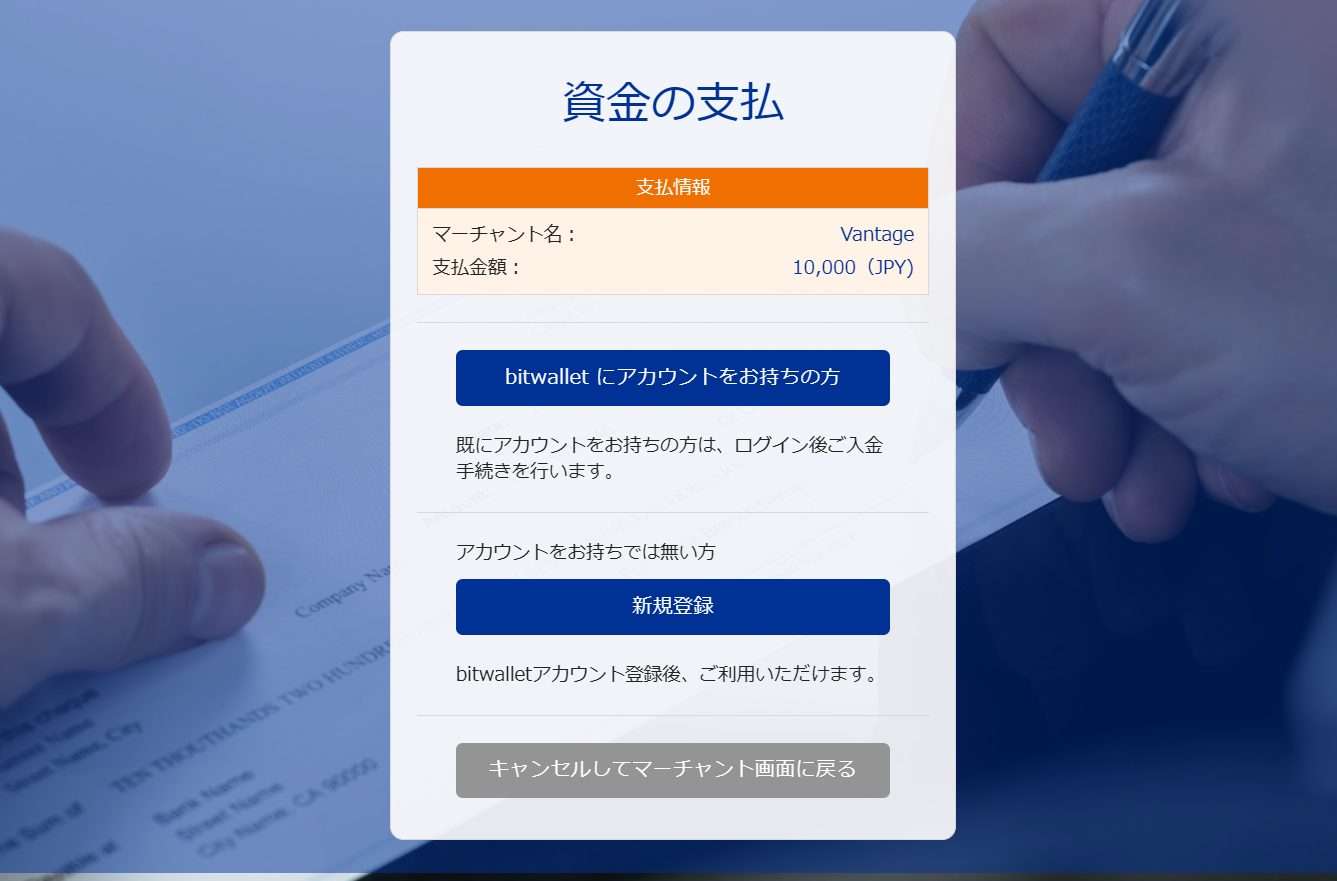
You will be redirected to the bitwallet payment page.
Check the payment information and click “For those who have a bitwallet account”.
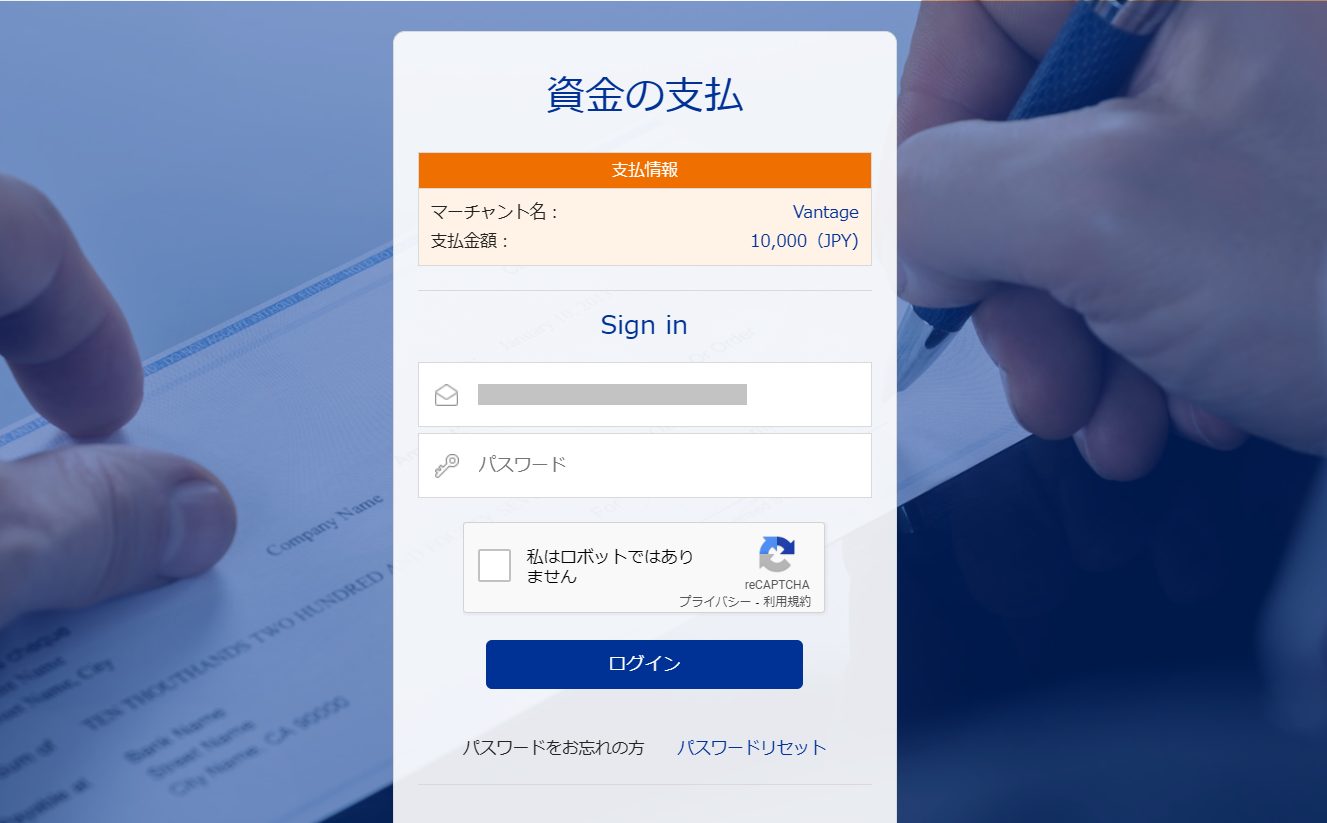
Enter the email address and password registered to your bitwallet account, check the checkbox and click “Login”.
Finally, confirm the details of the transfer and click “Pay” to complete the deposit request via bitwallet.
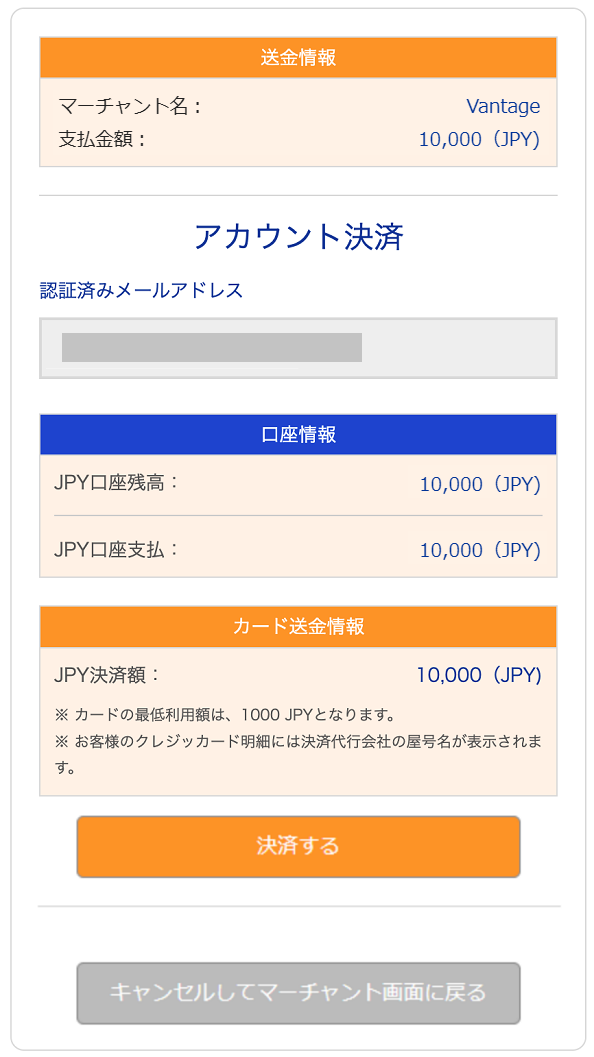
How to deposit via E-money
Log in to the Client Portal and click on “Deposit” to open the following screen.
Select the account you want to deposit to and enter the amount.
If you have a deposit discount coupon, select it and click “Continue.”
If you wish to deposit using E-money, select “Electronic Money Deposit” and click “Continue.”

Enter your email address, confirm the details of your payment, and then click “Pay Now.”

You will be redirected to a site called Bull Pass.
Enter the charge amount and the notification email address.
Click on “Point Gateway” and follow the instructions on the screen to complete the deposit process.
How to deposit with cryptocurrencies
Log in to the Client Portal and click on “Deposit” to open the following screen.
Select the account you want to deposit to and enter the amount.
If you have a deposit discount coupon, select it and click “Continue.”
If you wish to deposit with cryptocurrency, select the appropriate cryptocurrency and click “Continue”.
This time, we will use Bitcoin as an example.

The wallet address to which you will send the funds will be displayed.
Simply copy the QR code or address and transfer funds from your own wallet to complete the cryptocurrency deposit process.

Convenience store deposit procedure
Log in to the Client Portal and click on “Deposit” to open the following screen.
Select the account you want to deposit to and enter the amount.
If you have a deposit discount coupon, select it and click “Continue.”
If you wish to make a deposit via convenience store deposit, select “Convenience store deposit” and click “Continue.”

Enter your email address, confirm the details of your payment, and then click “Pay Now.”

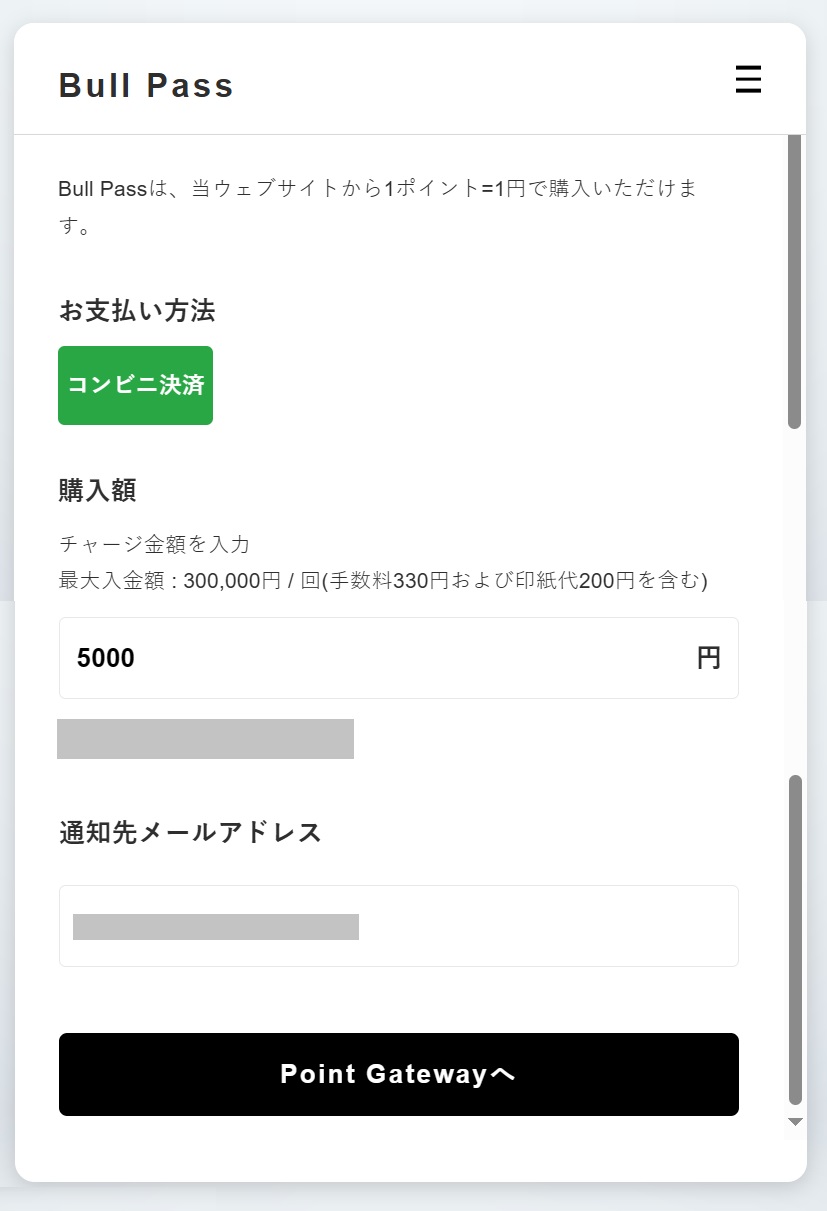
You will be redirected to a site called Bull Pass.
Enter the charge amount and the notification email address.
Click on “Point Gateway” and follow the instructions on the screen to complete the deposit process.
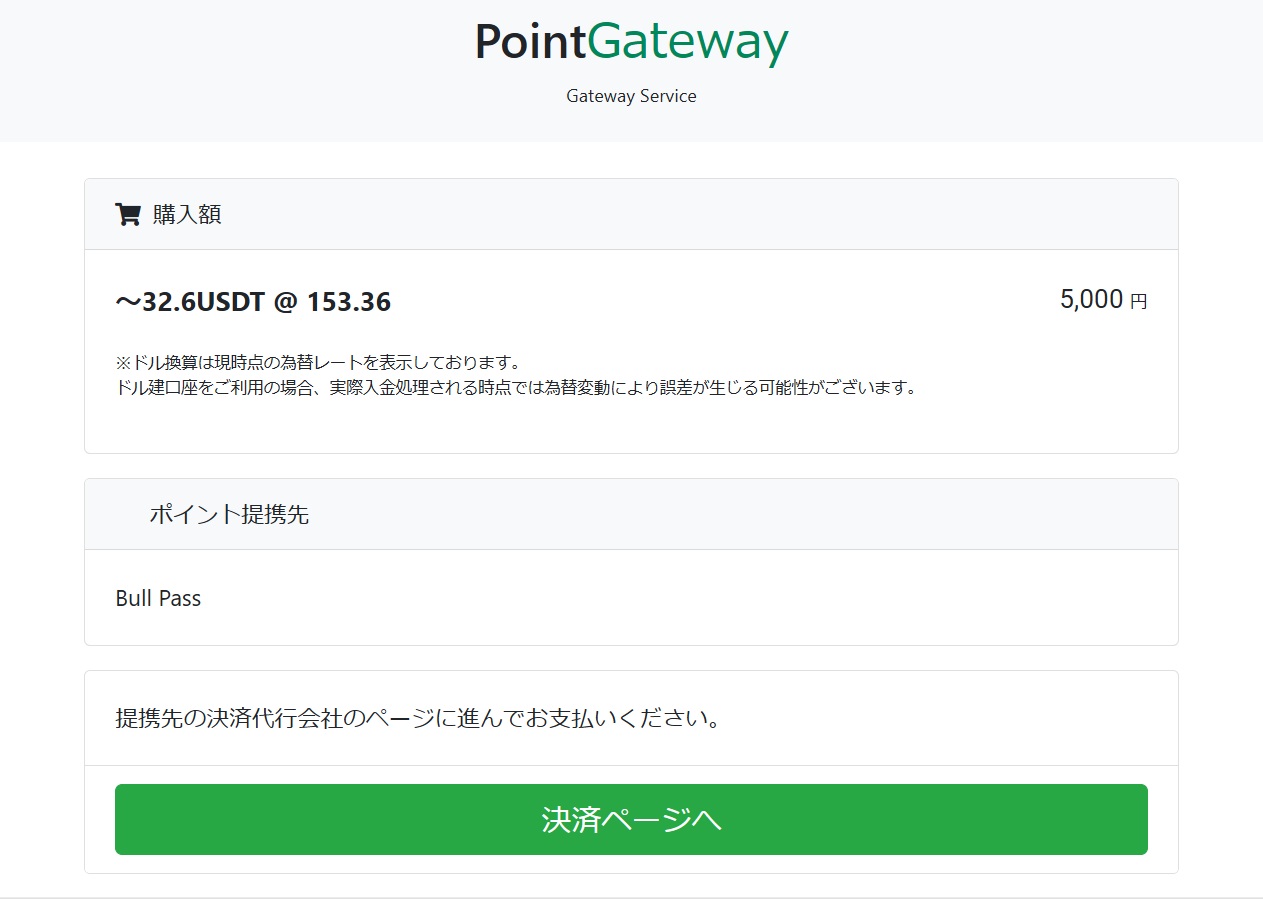
Confirm the deposit amount and click “Proceed to payment page”.
Make a final confirmation on the confirmation screen, check the checkbox, and click “Proceed to Procedure.”

A payment number will be displayed, so you can take a screenshot or other copy of it and make the payment at the convenience store to complete the convenience store payment process.
Above, we have introduced the deposit methods for Vantage Trading.